 Web App
32
Web App
32
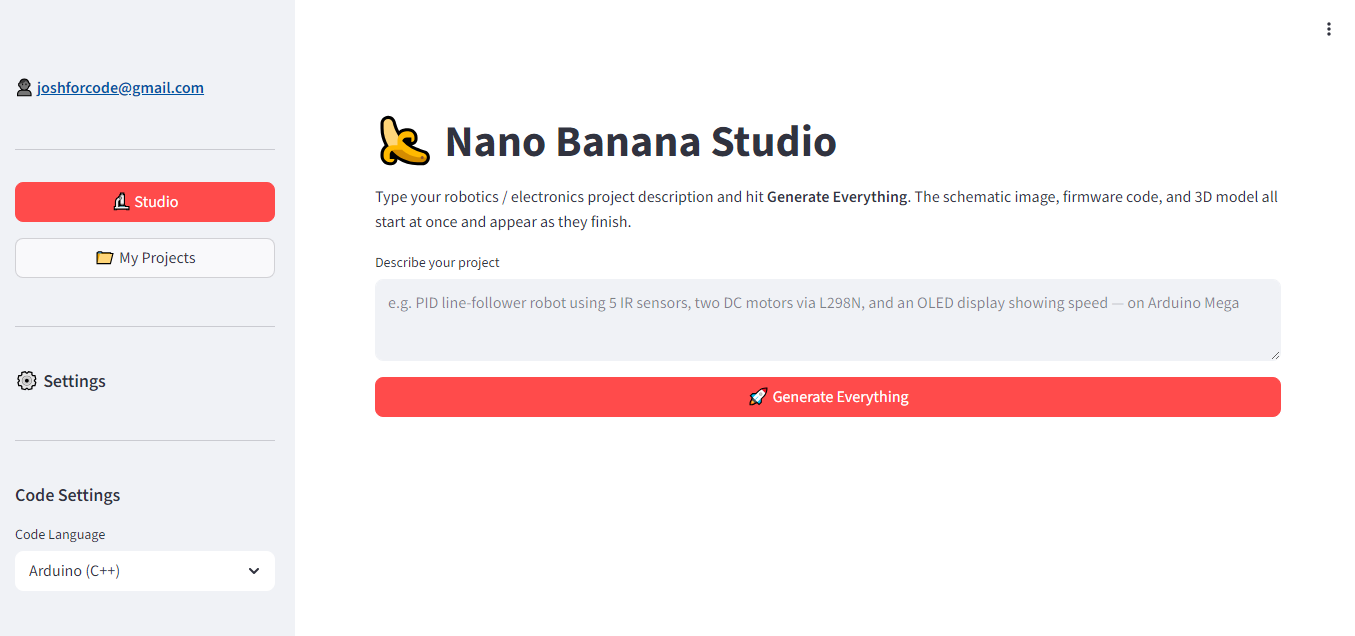
Robotic development AI assitant
# RDA AI: Robotics Development Assistant RDA AI is an advanced, full-stack AI assistant tailored for robotics engineers and software developers. The platform streamlines hardware configuration, embedded programming, ROS (Robot Operating System) node generation, and physical simulation modeling. By pairing multi-modal generation with persistent state tracking, RDA AI acts as an end-to-end co-pilot for hardware engineering workflows. --- ## 🚀 Key Features * **Intelligent Code Generation:** Generates and debugs production-ready firmware code (Arduino C++, ESP-IDF, Python) for microcontrollers, sensors, and actuators. * **Schematic & Circuit Assistance:** Analyzes pinout layouts, visualizes component wirings, and troubleshoots electrical hardware logic. * **High-Fidelity Concept Visualizations:** Uses advanced text-to-image pipelines to generate visual design mockups, CAD concepts, and chassis structural layouts. --- ## 🛠️ Tech Stack & Architecture The system utilizes an asynchronous backend layer integrated with modern multi-modal foundation models and cloud database services: * **Frontend UI:** Built with **Streamlit**, providing a clean, responsive, dashboard-driven user interface for real-time streaming text interaction and image rendering. * **Orchestration & Compute:** Driven entirely by **Python**, handling data transformations, environment variables, and asynchronous API communication. * **AI Engine & Foundations:** * **Google Vertex AI:** Hosts and provides enterprise-grade orchestration for our cognitive pipelines. * **Gemini 2.5 Text (`gemini-2.5-text`):** Powers deep reasoning, logical sequence planning, context retrieval, and structured hardware code generation. * **Imagen 4 Model:** Handles high-fidelity spatial configurations, generating visual CAD blueprints, part prototypes, and structural robotic chassis mockups. * **Database & Persistence:** **Supabase** (PostgreSQL) manages secure user authentication, stores historical chat threads, keeps vector-mapped hardware device contexts, and handles generation logs. --- ## 📂 Project Structure ```text ├── .env.example # Sample environment configuration file ├── requirements.txt # Python dependencies ├── app.py # Main Streamlit application entrypoint ├── core/ # Core backend logic │ ├── __init__.py │ ├── ai_engine.py # Vertex AI, Gemini, and Imagen configurations │ └── database.py # Supabase client wrapper and CRUD operations ├── utils/ # Helper modules │ └── formatters.py # Code blocks, markdown, and layout parsers └── assets/ # App icons, static graphics, and styling sheets

 Web App
73
Web App
73
Building a Student Companion Agent
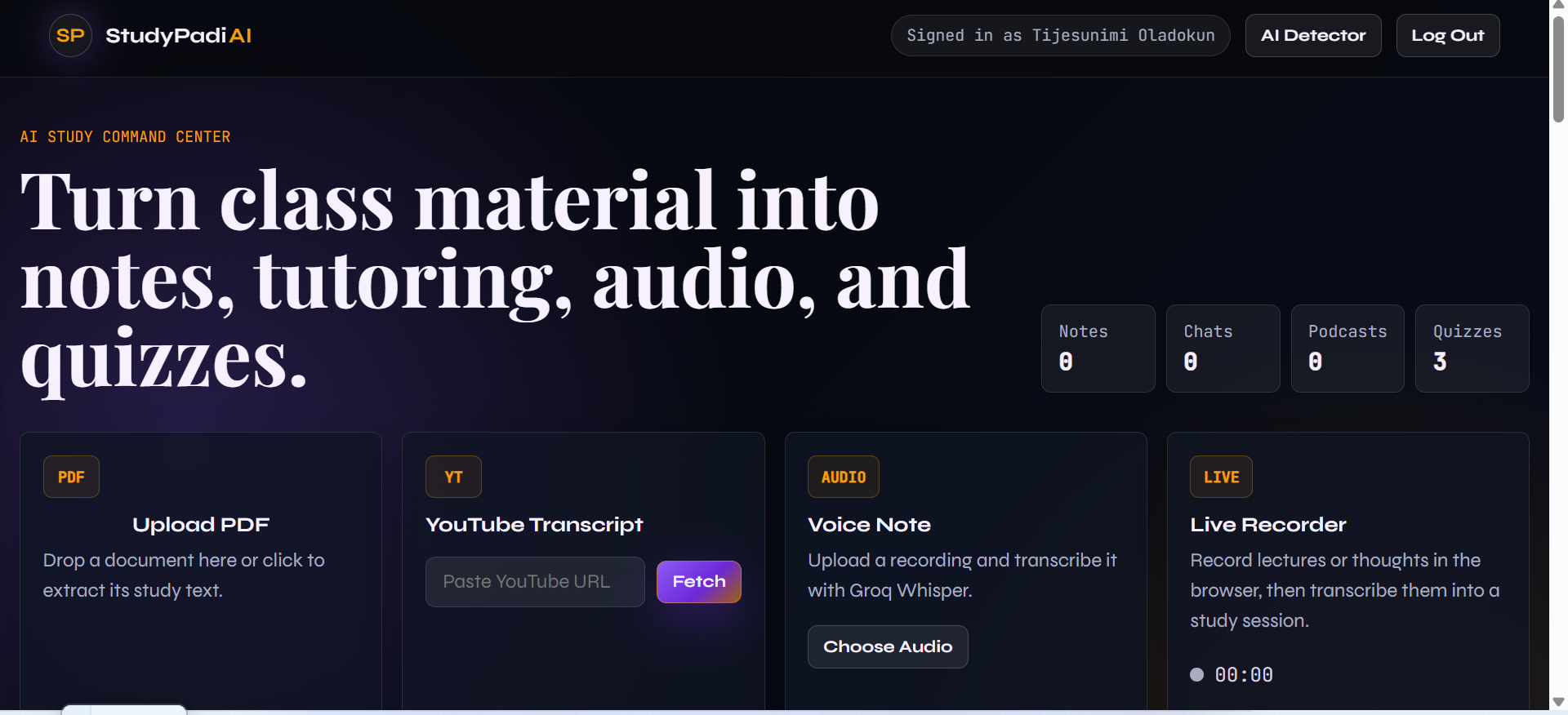
# Building a Student Companion Agent ## Overview StudyPadi AI is a student companion web app designed to help learners turn study materials into useful learning resources. The app allows students to upload PDFs, fetch YouTube transcripts, upload audio recordings, or record live voice notes directly in the browser. After loading the material, the system can generate structured study notes, answer questions through chat, create quizzes, produce podcast-style audio summaries, and help students review their learning content more efficiently. ## What I Built I built a Flask-based AI study assistant that supports multiple learning workflows: - PDF upload and text extraction - YouTube transcript fetching - Audio upload and transcription - Live browser recording - AI-generated study notes - Chat with uploaded study material - Quiz generation - Podcast/audio summary generation - AI writing detector and humanizer - Email/password authentication - Google OAuth support - Saved study sessions using SQLite The goal of the project is to reduce the stress of studying by helping students convert raw class materials into organized, interactive learning tools. ## Key Features ### 1. PDF Study Material Upload Students can upload PDF files, and the app extracts the text from the document. The extracted content becomes the active study source for notes, chat, quizzes, and podcasts. ### 2. Voice Note and Live Recording The app supports audio upload and live recording from the browser. Students can record lectures, explanations, or personal study notes, then transcribe them using Groq Whisper. ### 3. AI Study Notes Once a source is loaded, the app generates clean and structured notes. Students can choose styles such as professional, concise, detailed, or bullet-point notes. ### 4. Chat With Material Students can ask questions about the loaded material. The assistant responds based on the active document or transcript, making it useful for revision and clarification. ### 5. Quiz Generator The app can generate multiple-choice questions from the study material. This helps students test their understanding after reading or listening. ### 6. Podcast Generator The app converts study material into a conversational podcast-style script and audio file using Edge TTS. This makes it easier for students to revise while listening. ### 7. AI Detector and Humanizer The project also includes an AI writing detector and humanizer tool to help students review and improve written content. ## Tech Stack The backend was built with Python and Flask. SQLite is used for local data storage, while Groq powers transcription and AI text generation. The frontend uses HTML, CSS, Jinja templates, and vanilla JavaScript. Main technologies used: - Python - Flask - SQLite - HTML - CSS - JavaScript - Groq API - Whisper transcription - Edge TTS - PyPDF - ReportLab - Authlib - python-dotenv - yt-dlp - youtube-transcript-api ## How It Works The user first logs into the app and loads a study source. The source can be a PDF, YouTube video, uploaded audio file, or live recording. The backend extracts or transcribes the content and saves it as a study session. After that, the user can generate notes, ask questions, create quizzes, or generate podcast audio from the same source. Challenges One major challenge was making the live recording feature reliable. Browser recording can behave differently depending on the supported audio format, so I improved the recorder to choose a supported MIME type, handle empty recordings, clean up microphone streams, and reset the UI properly after recording. Another challenge was API key handling. I changed the app so API keys are not entered in the frontend. Instead, the Groq key is stored securely on the backend through environment variables. Results The final project is a functional AI-powered study companion that helps students study smarter. It brings together document processing, audio transcription, AI note generation, quizzes, chat, and podcast generation in one web app. ## Future Improvements In the future, I would like to add: Better dashboard analytics More quiz formats File organization by course or subject Cloud storage for uploaded materials Better mobile responsiveness More language support for transcription and notes ## Conclusion StudyPadi AI is designed to make studying more interactive and less overwhelming. By turning raw learning materials into notes, quizzes, chats, and audio summaries, it gives students a practical companion for learning and revision. ## Code Example ```python @app.route("/api/notes", methods=["POST"]) def gen_notes(): auth_error = require_user_json() if auth_error: return auth_error client = get_client() if not client: return jsonify({"error": "Server Groq API key is missing or invalid"}), 401 d = request.get_json() or {} activate_source_from_payload(d) raw = current_source_text() if not raw: return jsonify({"error": "No source text"}), 400 prompt = f"""Create well-organized study notes from this text. Text: {chunk(raw, 20000)} Create the study notes:""" result = generate(client, prompt, d.get("model", "llama-3.3-70b-versatile")) return jsonify({"notes": result})

 Web App
41
Web App
41
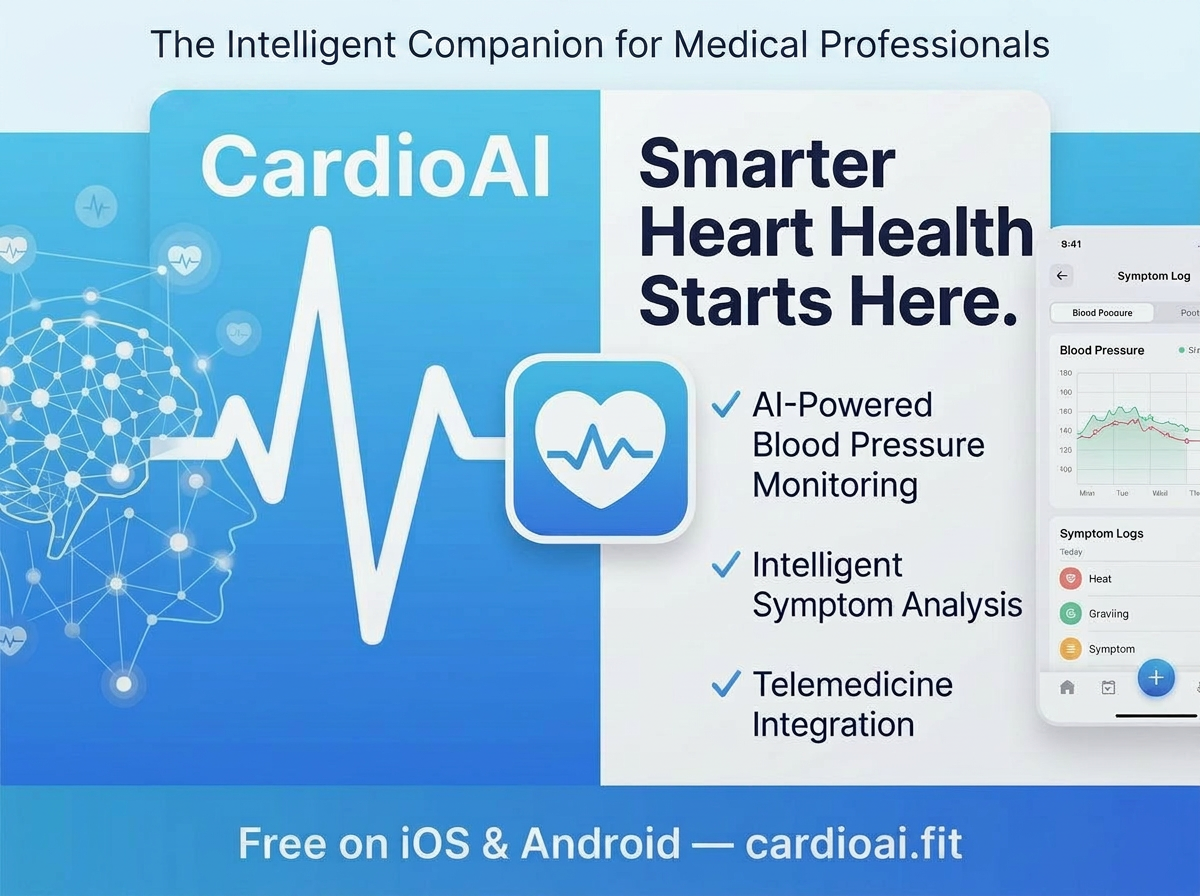
CardioAI - AI-Powered ECG Interpretation

 Web App
61
Web App
61
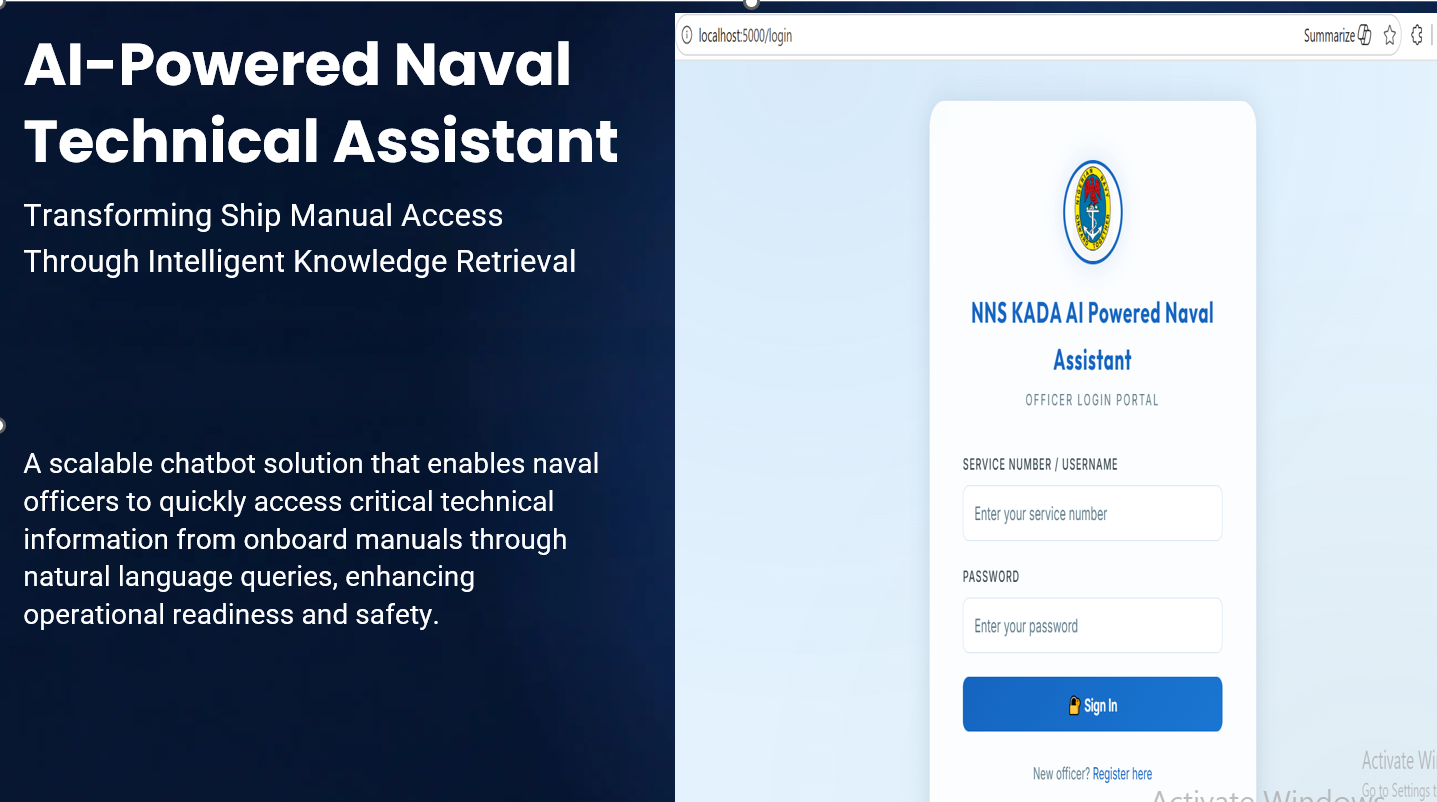
NNS KADA AI POWERED NAVAL ASSISTANT
```python @app.get("/dashboard", response_class=HTMLResponse) async def dashboard(request: Request): user = get_current_user(request) if not user: return RedirectResponse(url="/login", status_code=302) # Extract display name (last name from full_name) full_name = get_user_full_name(user) if full_name: parts = full_name.strip().split() display_name = parts[-1] if parts else user else: display_name = user return render(request, "dashboard.html", { "username": user, "display_name": display_name, }) # ===================================================================== # KNOWLEDGE BROWSER # ===================================================================== @app.get("/knowledge", response_class=HTMLResponse) async def knowledge_browser(request: Request): user = get_current_user(request) if not user: return RedirectResponse(url="/login", status_code=302) tree = get_knowledge_tree() return render(request, "knowledge.html", { "username": user, "tree": tree, }) @app.get("/knowledge/system/{system_id}", response_class=HTMLResponse) async def system_detail(request: Request, system_id: int): user = get_current_user(request) if not user: return RedirectResponse(url="/login", status_code=302) system = get_system(system_id) if not system: raise HTTPException(status_code=404, detail="System not found") subsystems = get_subsystems(system_id) for sub in subsystems: sub['components'] = get_components(sub['id']) procedures = get_procedures(system_id=system_id) faults_list = get_faults() # All faults for now return render(request, "knowledge.html", { "username": user, "tree": get_knowledge_tree(), "selected_system": system, "subsystems": subsystems, "procedures": procedures, "faults": faults_list, }) @app.post("/api/search-knowledge") async def api_search_knowledge(request: Request): user = get_current_user(request) if not user: return JSONResponse({"error": "Not authenticated"}, status_code=401) data = await request.json() query = sanitize_input(data.get("query", "")) if not query: return JSONResponse({"error": "No query provided"}, status_code=400) results = search_knowledge(query) return JSONResponse(results) ``` A few weeks ago, I set out to solve a problem that has quietly plagued naval operations for years — and I built something I'm genuinely proud of. *Introducing NNS KADA: An AI-Powered Naval Technical Assistant for the Nigerian Navy.* --- Here's the honest backstory. Naval officers on board a ship don't have the luxury of time. When something goes wrong — an engine fault, an electrical failure, a safety-critical procedure that needs to be executed immediately — the last thing anyone should be doing is flipping through hundreds of pages of technical manuals, cross-referencing documents scattered across different formats and locations, or waiting for someone with institutional knowledge to become available. That was the reality I wanted to change. --- *THE PROBLEM* Ship manuals are the lifeblood of naval operations. But in practice, they're: - Fragmented across multiple formats — PDFs, Word documents, spreadsheets - Too voluminous to comprehensively review within operational timeframes - Dependent on individual officers who carry critical knowledge in their heads — knowledge that walks off the ship during crew rotations The cost of this inefficiency isn't just inconvenience. Delays in accessing critical technical information can escalate equipment failures into safety incidents, compromise compliance readiness, and increase cognitive load during high-pressure situations. --- *THE SOLUTION I BUILT* I designed and developed a full-stack AI chatbot system that transforms ship manuals into a living, queryable knowledge base — one that any officer can ask a question in plain language and get a precise, accurate answer in seconds. Under the hood, the system uses a *Retrieval-Augmented Generation (RAG)* architecture: 🔹 Ship manuals (PDFs, DOCX, XLSX) are uploaded through an admin portal and automatically parsed, chunked, and embedded into a *ChromaDB vector store* using *Ollama's nomic-embed-text* embedding model — all running locally on the ship's hardware, with no data ever leaving the vessel. 🔹 When an officer asks a question, the system performs *semantic search* — not keyword matching — to retrieve the most relevant passages from across all uploaded manuals, ranked by cosine similarity. 🔹 The retrieved context is passed to a *large language model* — *Llama 3.2 via Ollama* as the primary engine (fully offline capable), with *Groq's LLM API* as an intelligent cloud fallback — which generates a natural, conversational response grounded entirely in the ship's own documentation. 🔹 The interface streams responses in real time with *markdown rendering*, so answers that include procedures, tables, or technical specifications display cleanly and readably — not as a wall of text. --- *WHAT MAKES THIS DIFFERENT FROM JUST SEARCHING A DOCUMENT?* A keyword search tells you which document to look in. This system reads the documents, understands the context of your question, and tells you the answer — with sources cited automatically. An officer asking "What is the starting procedure for the LST100?" doesn't get a list of documents to go read. They get the steps, in order, drawn from the exact manual that covers it. WHAT'S NEXT? This is Phase 1. The roadmap includes: → *Predictive Compliance* — proactively flagging expiring certificates and upcoming regulatory requirements before they become problems → *Real-Time Sensor Integration* — connecting the chatbot to onboard sensors for context-aware diagnostics ("the engine temperature is reading X, here's what the manual says to do") → *Autonomous Maintenance Scheduling* — agentic workflows that don't just answer questions but take action --- This project reminded me that the most impactful technology isn't always the most complex — sometimes it's just putting the right information in front of the right person at the right moment. *#RAIN#ArtificialIntelligence #NavalTechnology #RAG #LLM #Python #FastAPI #NigerianNavy #MaritimeTech #GenerativeAI #MachineLearning #SoftwareEngineering #Innovation #DefenceTech*

 ML Model
77
ML Model
77
Deepfake Image Detection Using Artificial Intelligence
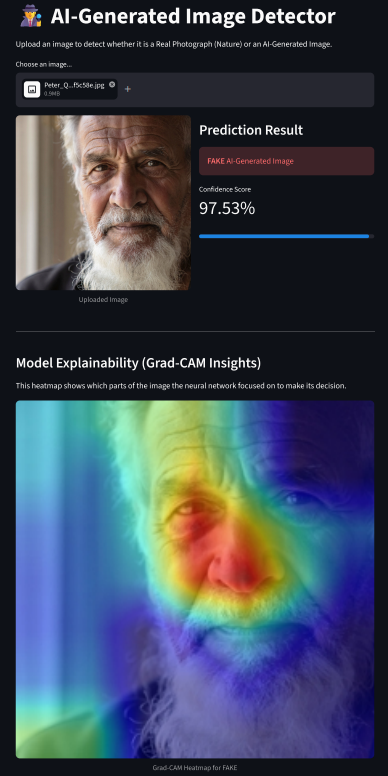
# Deepfake Image Detection Using Artificial Intelligence ## What I Built The speed at which AI can generate photorealistic imagery has massively outpaced the human eye's ability to detect it. This project is an automated **AI-Generated Image Detector**, a binary classification system that takes any image and predicts whether it is a real photograph or machine-generated. More importantly, it doesn't just give a prediction; it explains its reasoning. By integrating **Grad-CAM** (Gradient-weighted Class Activation Mapping), the application generates a heatmap over the uploaded image, highlighting the exact pixels and artifacts the neural network focused on to make its decision. ## Tech Stack & Architecture * **Backbone:** EfficientNet-B0 (Pre-trained on ImageNet for transfer learning) * **Framework:** PyTorch * **Explainability:** Custom Grad-CAM implementation using PyTorch hooks * **Deployment:** Streamlit, Docker, Hugging Face Spaces EfficientNet-B0 was chosen for its compound scaling approach, which provides state-of-the-art accuracy with a highly efficient parameter count (~5.3 million), making it lightweight enough to run inference smoothly in a browser. ## Dataset & Training To ensure the model learns generalized AI artifacts rather than memorizing a specific generator, I curated a dataset of over **45,000 images** from more than 10 different sources: * **FAKE (AI):** DiffusionDB, Synthbuster (Stable Diffusion, DALL·E 2, GLIDE), StyleGAN Faces. * **REAL:** RAISE 4K, Flickr, Imagenette, and the **DPED dataset** (smartphone photos from iPhone/Sony to fix domain shift biases). Crucially, modern generators like **DALL·E 3 and Midjourney v5 were withheld entirely from training** and only used in the test set to evaluate true zero-shot generalization. ## Code Example: Grad-CAM Explainability Instead of using external libraries that can break in headless deployment environments, I implemented Grad-CAM using pure PyTorch forward and backward hooks: ```python import torch import torch.nn.functional as F def generate_gradcam_heatmap(model, input_tensor, target_class): feature_maps, gradients = [], [] target_layer = model.features[-1] # Register hooks to capture activations and gradients handle_f = target_layer.register_forward_hook(lambda m, i, o: feature_maps.append(o)) handle_b = target_layer.register_full_backward_hook(lambda m, gi, go: gradients.append(go[0])) output = model(input_tensor) model.zero_grad() output[0, target_class].backward() handle_f.remove() handle_b.remove() # Global average pooling and heatmap generation weights = torch.mean(gradients[0], dim=(2, 3), keepdim=True) cam = F.relu(torch.sum(weights * feature_maps[0], dim=1).squeeze()) cam = (cam - cam.min()) / (cam.max() - cam.min() + 1e-8) return cam.detach().cpu().numpy()

 Web App
74
Web App
74
GreenDoc — AI-Powered Crop Disease Detection for African Farmers
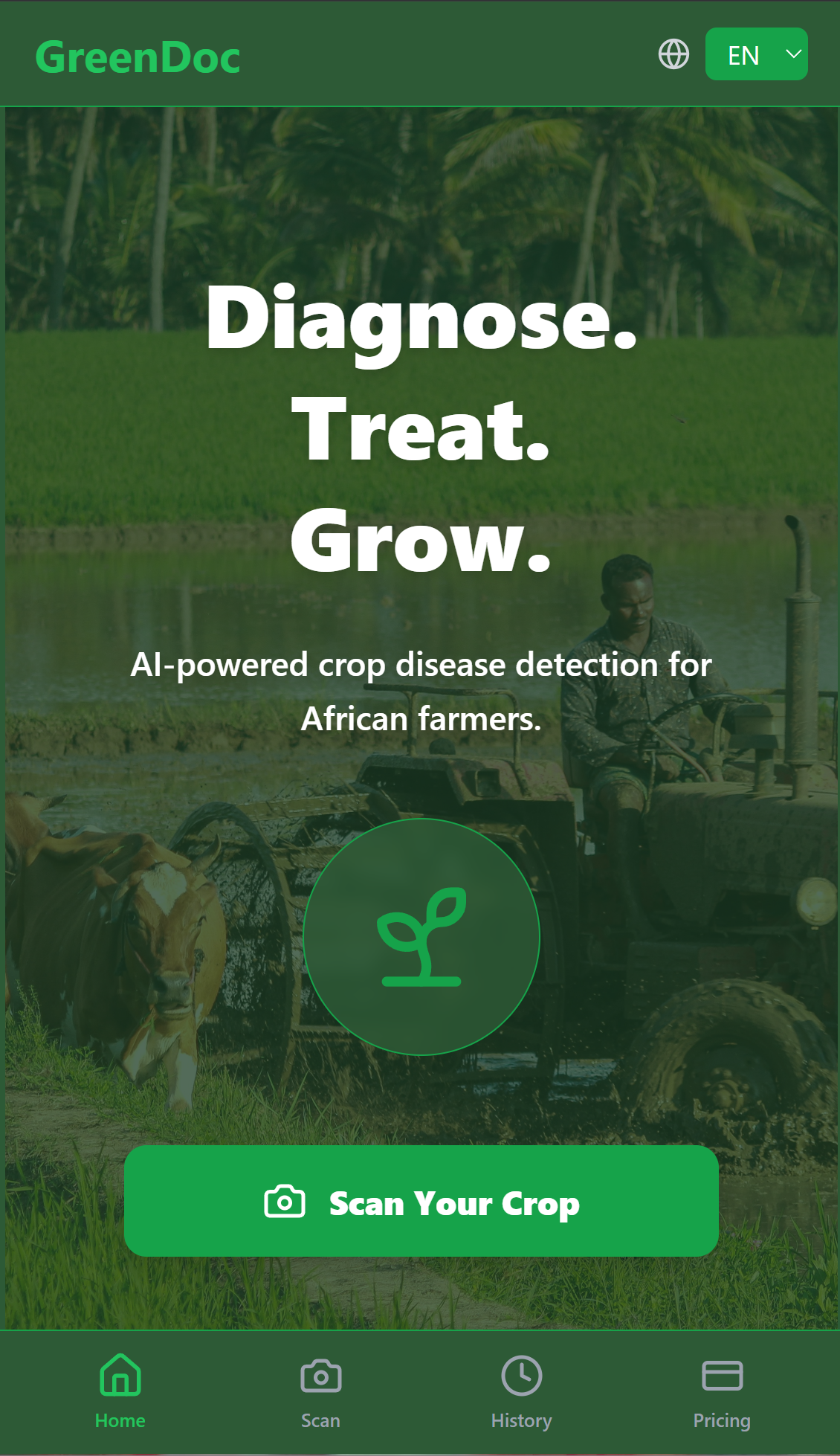
# GreenDoc — AI-Powered Crop Disease Detection ## What I Built GreenDoc is a mobile-first web application that lets any farmer take a photo of a diseased crop leaf and receive an instant AI diagnosis — the disease name, severity level, and exact treatment recommendation. ## The Problem Nigeria loses $3.6 billion annually to agricultural losses. Crop diseases go undetected until it's too late. The nearest agricultural extension officer is 40km away. ## Tech Stack - **Model:** EfficientNetB0 with transfer learning (PyTorch) - **Dataset:** 35,000+ images across 19 disease classes - **Backend:** FastAPI deployed on Railway - **Frontend:** React + Tailwind CSS deployed on Vercel - **Model Format:** ONNX for optimized inference ## Model Performance - Round 1: 95.79% validation accuracy - Round 2: 99.43% validation accuracy, 100% F1 score on all 19 classes ## Code Example ```python model = models.efficientnet_b0(weights="IMAGENET1K_V1") for param in model.parameters(): param.requires_grad = False model.classifier[1] = nn.Linear( model.classifier[1].in_features, 19 ) ``` ## Results - 19 crop disease classes detected - 99.43% validation accuracy after fine-tuning - Live on mobile at https://cropdoc-frontend-ldld.vercel.app ## Challenges - Domain gap between lab training images and real farm photos - ONNX model size limitations on free hosting - Confident misclassifications on Mosaic Virus and Septoria ## What's Next - Retrain with real field condition images - Google login and Paystack payments - Android APK for full offline use

No projects match
Try a different search or filter